



Genuine JLR DOIP VCI (Bosch) – Approved Diagnostic Interface
Images of the Genuine JLR DOIP VCI unit, cables, and case will be displayed here.
Pricing and “Add to Cart” button will be here.
The genuine, JLR-approved DOIP VCI (Vehicle Communication Interface), manufactured by Bosch. This is the mandatory diagnostic tool for all Jaguar and Land Rover vehicles from 2017 onwards featuring the EVA2 architecture. Full compatibility with Pathfinder software for diagnostics, module programming, and software updates. Includes WiFi and USB connectivity.
Technical Introduction: The Next Generation of JLR Diagnostics
As Jaguar Land Rover vehicle architecture evolves, so do the tools required for accurate diagnosis and programming. The introduction of the EVA2 (Electrical Vehicle Architecture) platform in 2017+ models marked a fundamental shift from traditional CAN-based diagnostics to a high-speed Ethernet-based protocol: DOIP (Diagnostics over Internet Protocol). The Genuine JLR DOIP VCI is the factory-approved interface designed specifically to handle the high-bandwidth data requirements of these modern vehicles.
Legacy diagnostic tools, such as the Mongoose or VCM II, are not capable of communicating over the DOIP network. Attempting to diagnose or, critically, program modules on a DOIP-equipped vehicle without this interface will result in communication failures and potential module bricking. This tool is no longer an option—it is a necessity for any workshop serious about servicing the latest Jaguar and Land Rover models.
Key Features & System Capabilities:
- JLR Approved & Genuine Bosch Hardware: This is not a clone. It is the official device used by JLR main dealers, ensuring stable firmware, reliable connectivity, and 100% compatibility.
- Full DOIP Protocol Support: Enables communication with all modules on the Ethernet network, essential for programming large software files to components like the InControl Touch Pro (IVI), Body Control Module (BCM), and Powertrain Control Module (PCM).
- Multi-Protocol Capable: In addition to DOIP, the VCI supports all legacy JLR protocols, including CAN, CAN FD, and ISO-9141, making it fully backward-compatible with older vehicles when used with SDD software.
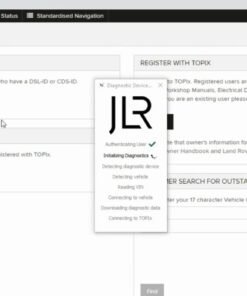
- Pathfinder Software Integration: The primary diagnostic application for all 2017+ vehicles. This VCI is the designated interface for all Pathfinder functions.
- Wireless & Wired Connectivity: Offers the flexibility of connecting to the diagnostic laptop via a robust 802.11b/g/n WiFi connection or a direct USB 2.0 cable for environments with high wireless interference.
Click for In-Depth Technical Specifications
The Critical Role of DOIP
Diagnostics over Internet Protocol (DOIP) acts as a transport layer over Ethernet, allowing for data transfer speeds significantly higher than the traditional CAN bus (up to 100 Mbit/s vs. 500 kbit/s). This bandwidth is critical for:
- Software-Over-The-Air (SOTA) Updates: Validating and executing large SOTA package updates.
- Infotainment System Programming: Flashing the multi-gigabyte files required for modern IVI systems.
- Complex Module Configuration: Writing large CCF (Car Configuration File) data in a single, fast operation.
- Advanced Diagnostics: Streaming high-volume live data from multiple vehicle systems simultaneously without latency.
The VCI manages the DOIP activation line and acts as the gateway between the vehicle's Ethernet network and the diagnostic laptop running Pathfinder.
Hardware Specifications:
- Manufacturer: Bosch Automotive Service Solutions
- Processor: High-speed ARM processor for protocol handling
- Connectivity: USB 2.0, WLAN 802.11b/g/n
- Vehicle Protocols: DOIP (ISO 13400), CAN FD, High-Speed CAN, Medium-Speed CAN, Fault-Tolerant CAN, ISO 9141 K-Line
- Operating Voltage: 8 V to 16 V DC
Click for Software Compatibility & System Requirements
Software:
This VCI is compatible with the following official JLR diagnostic software suites (software and subscription not included):
- JLR Pathfinder: (Required for 2017 – Present vehicles). Provides full diagnostic, module programming, key programming, and service functions for all modern JLR vehicles. An active JLR TOPIx subscription is required to use Pathfinder online.
- JLR SDD (Symptom Driven Diagnostics): (For 2005 – 2016 vehicles). The DOIP VCI is fully backward-compatible and can be used as a standard J2534 pass-thru device for older vehicles running on the CAN network.
System Requirements:
A dedicated diagnostic laptop with a modern Windows 10/11 Pro (64-bit) operating system, sufficient RAM (8GB+ recommended), and SSD storage is required for optimal performance of the Pathfinder software.
What's Included in the Box?
- Genuine JLR DOIP VCI Unit
- 16-Pin DLC (OBD-II) Cable
- High-Quality USB Cable for PC Connection
- DWA-131 Wireless USB Adapter (for WiFi configuration)
- Robust Carry Case
Who is This For?
This professional-grade tool is essential for independent JLR specialists, authorized repair shops, vehicle electronics experts, and fleet maintenance operations that service late-model Jaguar and Land Rover vehicles. Investing in the genuine DOIP VCI ensures your workshop remains capable of handling any service, diagnostic, or programming task on the very latest vehicles from JLR.
For any pre-purchase questions regarding software setup or drivers, please contact our technical team.
Related products


JLR Software