


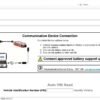
JLR TOPIX Cloud Diagnostics – 6 Months
Professional cloud‑based diagnostics for authorised Jaguar Land Rover workshops. The 6‑month JLR TOPIX Cloud Diagnostics subscription gives you the same OEM‑approved tools that factory service centres use to analyse live vehicle data, read and clear fault codes and run guided repair procedures.
Product Overview
The TOPIX Cloud platform is hosted on Jaguar Land Rover’s secure servers and delivers real‑time diagnostic information over a protected TLS connection. Because the service is cloud‑native, updates to vehicle coverage, new repair instructions and software patches are pushed automatically, meaning your workshop always works with the latest OEM data.
Key Technical Features
- Live CAN/DoIP data streaming – view sensor values, module status and diagnostic trouble codes in real time.
- Full‑screen fault‑code library that is automatically updated with every JLR service bulletin.
- Step‑by‑step repair guides that include part numbers, torque specs and safety warnings.
- Secure dealer‑login that logs every access for compliance auditing.
- Multi‑vehicle support – covers all Jaguar Land Rover models produced from 2017 to 2025.
Why It Is Needed
When a vehicle is brought in for warranty work, the technician must prove that the fault was diagnosed with OEM‑approved tools. Consequently, the TOPIX Cloud subscription provides the required audit trail and eliminates the need for local library updates. Moreover, the cloud service reduces the workload on workshop IT teams because the software is centrally managed.
Typical Use Cases
- Warranty inspections – generate a compliant diagnostic report that can be uploaded directly to the JLR Service Portal.
- Retrofit projects – verify that newly installed components are correctly recognised by the vehicle’s control modules.
- Pre‑delivery checks – confirm that a new car matches the build specification before it leaves the showroom.
- Training sessions – use the guided repair workflows to teach junior technicians the correct diagnostic procedure.
System Requirements
- Windows 10 / 11 (64‑bit) laptop with at least 8 GB RAM.
- Approved JLR VCI (DoIP or SDD) with latest firmware.
- Internet connection (minimum 5 Mbps upload/download).
- Dealer credentials issued by Jaguar Land Rover.
How to Activate
Step 1 – Purchase the subscription and receive a licence key by e‑mail. Step 2 – Log into the TOPIX Cloud portal, enter the key and create a dealer account. Step 3 – Install the JLR Diagnostic Client on your workstation, then pair the VCI. Step 4 – Run a quick system scan; the client will automatically register your device with the cloud service. Step 5 – Begin diagnosing – every session is recorded in the cloud for later review.
Compliance & Support
The subscription is bound to a dealer‑approved licence, therefore it may only be used by authorised JLR service locations. In addition, technical support is provided 24 × 7 via phone or e‑mail for the duration of the subscription.
Related products

JLR Software

JLR Software

JLR Software

JLR Software


JLR Software

JLR Software

JLR Software