

Video in Motion for InControl Touch Plus (GEN 2.1) – JLR Coding Service
Enable video playback on the move for your Jaguar Land Rover InControl Touch Plus (GEN 2.1) system.
What Is Video in Motion for InControl Touch Plus (GEN 2.1)?
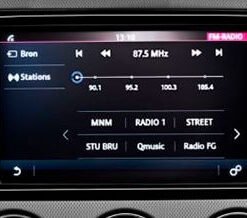
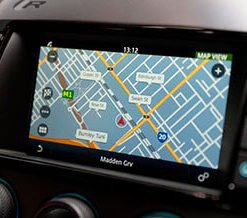
Jaguar Land Rover fits the InControl Touch Plus (GEN 2.1) infotainment system to many vehicles across its range. This platform supports video playback from USB drives, SD cards, and certain streaming sources. From the factory, the system disables video output as soon as the vehicle exceeds a low speed threshold. This restriction exists for safety reasons, because the driver should not watch video while driving.
Many owners want to keep video playing for passengers during long journeys. Others use the screen for off-road navigation aids or camera feeds while traversing rough terrain at low speed. Our Video in Motion coding service removes the factory speed lock. You then enjoy continuous video playback on the front touchscreen whenever you choose.
How the Factory Restriction Works
The InControl Touch Plus (GEN 2.1) system receives a vehicle speed signal over the medium-speed CAN bus. This signal originates from the Anti-lock Braking System (ABS) module and passes through the Body Control Module (BCM) and Gateway Module (GWM). The infotainment head unit reads this signal and compares it against a stored threshold value. When vehicle speed exceeds that threshold, the head unit blanks the video output and displays a warning message.
The Car Configuration File (CCF) contains the parameters that control this behaviour. A specific CCF setting defines whether the system permits video in motion. JLR sets this parameter to “disabled” at the factory for all markets. Our service changes that parameter to “enabled” using approved JLR diagnostic tools.
Our Video in Motion Coding Procedure
We connect an approved JLR diagnostic interface to your vehicle’s OBD port. For Touch Plus (GEN 2.1) equipped vehicles, we use JLR System Driven Diagnostics (SDD) in engineering mode or JLR Pathfinder with the DoIP VCI, depending on model year. The diagnostic platform reads your VIN and retrieves the current CCF from the vehicle.
We back up the original CCF before we make any changes. This backup allows us to restore factory settings at any time. We then locate the video in motion parameter, change its value to enabled, and write the updated CCF back to the vehicle. After the write completes, we clear any diagnostic trouble codes (DTCs) that appeared during the process. We verify the change by testing video playback while the vehicle moves at a safe speed on private land or during a road test with a passenger monitoring the screen.
A stable power supply is essential. We connect a battery support unit that delivers 20 to 30 amps at 13.5 to 14.2 volts throughout the session. This precaution prevents voltage drops that could interrupt the CCF write and corrupt module memory.
Compatible Vehicles
This service suits Jaguar Land Rover vehicles fitted with the InControl Touch Plus (GEN 2.1) infotainment system. Typical models include:
- Range Rover Evoque (L538) with Touch Plus
- Discovery Sport (L550) with Touch Plus
- Range Rover Sport (L494) with Touch Plus
- Range Rover (L405) with Touch Plus
- Jaguar XE, XF, F-Pace, and E-Pace with Touch Plus
Vehicle software versions vary across model years. We confirm compatibility with your VIN before you order. Send us your registration or VIN through our contact form, and we reply with a definitive answer.
Important Legal and Safety Information
You must check your local road traffic laws before you request this service. Many countries prohibit the driver from viewing video while the vehicle moves. This service is intended for passenger entertainment and for off-road use on private land. You remain responsible for complying with all applicable regulations. We recommend that the driver never watches video while driving. We provide full documentation of the coding change so you retain a complete service record.
What Our Service Includes
- Full CCF backup before modification
- Video in motion parameter identification and editing
- CCF write using approved JLR diagnostic tools
- DTC clearing and module self-tests
- Post-coding verification of video playback
- Written summary of the change performed
Remote and Workshop Options
We offer remote sessions for owners who have a compatible JLR diagnostic interface, a Windows laptop, and a stable internet connection. Our technician connects to your laptop and guides the process from start to finish. You provide the battery support unit. We also welcome vehicles to our UK workshop for a full hands-on service. Remote sessions cost less, and workshop appointments suit vehicles that need additional coding or diagnostics.
Order Your Video in Motion Coding
Contact lr-retrofit.com today to enable video in motion for your InControl Touch Plus (GEN 2.1) system. Provide your VIN, model year, and your vehicle’s current infotainment software version if you know it. Our team confirms compatibility, provides a fixed quotation, and arranges a remote or workshop appointment. You then enjoy continuous video playback for your passengers and off-road applications.