


Navigation Update for InControl Touch Plus (GEN 2.1) – JLR Map Data Refresh
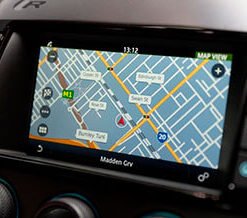
Load current map data onto your Jaguar Land Rover InControl Touch Plus (GEN 2.1) navigation system.
Restore Full Accuracy to Your Touch Plus (GEN 2.1) Navigation
Every map database starts aging the moment JLR publishes it. Councils redraw junctions, planners open new link roads, and authorities revise speed limits year after year. Retail parks appear, charging stations spread, and service areas move. Your InControl Touch Plus (GEN 2.1) system keeps reading whatever database it received at build, so routing accuracy slips with every passing season. Eventually the system guides you toward roads that no longer exist.
Our navigation update service restores that accuracy. We supply the current map release for your chosen region, match it precisely to your vehicle, and support you through installation. You then regain dependable turn-by-turn guidance, credible arrival times, and full coverage of points of interest.
Inside the Touch Plus (GEN 2.1) Platform
InControl Touch Plus (GEN 2.1) defines a specific generation of the JLR infotainment architecture. The navigation application reads map data from either an internal hard drive or a removable SD card, depending on how JLR configured your build. The head unit exchanges data with the Instrument Cluster (IPC) and the Gateway Module (GWM) across the medium-speed CAN bus. The navigation module also talks to the Global Positioning System (GPS) receiver and, on equipped vehicles, the Traffic Message Channel (TMC) tuner.
JLR publishes each map release under a specific version number and splits those releases by region. The correct file depends on three things: your VIN, your model year, and your current infotainment software level. We check all three before we supply anything, so you never receive a database that the head unit rejects.
What the New Map Data Delivers
- Current road geometry, junction layouts, and roundabout configurations
- Revised speed limit data for supported regions
- New and updated points of interest, including charging stations and fuel stops
- Sharper postcode and full-address search accuracy
- Refined route calculation for shorter, more efficient journeys
- Fresh motorway service area and rest stop information
How We Prepare Your Update
You send us your VIN and the region you need. Our team queries the JLR database and identifies the exact map version that suits your Touch Plus (GEN 2.1) system. We then prepare the update on the correct medium. For SD card systems, we supply a pre-loaded card that you simply swap into the slot. For internal drive systems, we supply a USB drive together with clear printed instructions.
We test every update before dispatch. That quality check confirms data integrity and confirms the version match. You receive a product that installs cleanly, activates without dealer involvement, and integrates with your existing navigation settings.
Installation Process
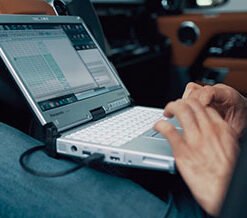
Installation takes between 30 and 90 minutes, depending on update size and your vehicle’s storage type. You run the engine or connect a battery support unit to hold stable voltage throughout. For SD card systems, you remove the old card, insert the new one, and let the head unit read the data. For USB updates, you plug the drive into the vehicle’s USB port and follow the on-screen prompts. The system copies the new database, verifies it, and restarts.
We stay reachable by telephone for the whole process. Afterwards, you confirm the new map version through the navigation settings menu, and we show you exactly where to look.
Compatible Vehicles
This navigation update suits Jaguar Land Rover vehicles fitted with the InControl Touch Plus (GEN 2.1) infotainment system. Typical models include:
- Range Rover Evoque (L538) with Touch Plus
- Discovery Sport (L550) with Touch Plus
- Range Rover Sport (L494) with Touch Plus
- Range Rover (L405) with Touch Plus
- Jaguar XE, XF, F-Pace, and E-Pace with Touch Plus
Software versions vary across model years, so we verify compatibility against your VIN before you order. Send your registration or VIN through our contact form, and we reply with a definitive answer plus the regions we can supply for your vehicle.
Order Your Navigation Update
Contact lr-retrofit.com today to order your InControl Touch Plus (GEN 2.1) navigation update. Provide your VIN, your preferred map region, and your current navigation software version if you know it. Our team confirms availability, processes your order, and dispatches the update medium within one working day. You receive clear instructions, full telephone support, and current map data for your Jaguar Land Rover.