


Why Update Navigation on InControl Touch?
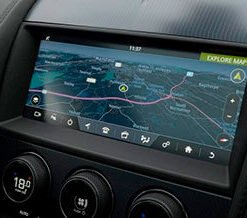
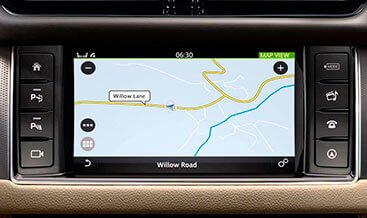
The InControl Touch system introduced touchscreen navigation across a generation of Jaguar and Land Rover vehicles. It stores map data on an internal drive or a dedicated SD card, depending on build year and region. JLR releases map and software updates on a regular cycle, yet many owners never receive them. Dealerships typically install updates only during scheduled service, and some vehicles pass through several service visits without a map refresh.
Our Navigation Update InControl Touch service delivers the newest available map database and navigation software for your vehicle. You gain accurate routing, correct junction layouts, current speed limits, and refreshed points of interest. The software component also improves screen responsiveness and route calculation speed.
What the Update Covers
We refresh the components that drive navigation on the InControl Touch platform:
- Map Database: Installs current road geometry, junctions, and address ranges for your selected region.
- SD Card Map Data: Provides the correct region-specific card for vehicles that store maps on removable media.
- Points of Interest: Updates fuel stations, charging points, parking, hotels, and service locations.
- Navigation Application Software: Delivers the latest release for faster route calculation and stable operation.
- Voice Guidance Files: Refreshes pronunciation data for street and place names.
- Infotainment Head Unit (IHU): Aligns navigation firmware with the wider vehicle network.
Each update uses VIN-specific files from JLR’s official database. We never use generic or third-party map packages.
How the JLR InControl Touch Update Works
You connect your vehicle to a laptop running approved JLR diagnostic software. Our technician guides you through the process remotely. The software reads your VIN, identifies your current map version and region code, and confirms the correct package for your system. It then installs the map database and navigation software through the OBD-II port or the vehicle’s USB interface, and we insert the correct SD card where your specification requires one.
The update takes between 45 and 120 minutes depending on region and map size. You keep the ignition on and maintain a stable internet connection. The process preserves your saved destinations, home address, previous routes, and display preferences. After installation, we verify the map version, test route calculation, and confirm that search and guidance functions work correctly.
Why Choose Our JLR Navigation Update Service
We specialize in Jaguar and Land Rover vehicles. Our team uses genuine JLR software and approved hardware. We provide clear instructions, live remote support, and a post-update verification report. You receive the same quality as a franchised dealer without the high labor rates or scheduling delays.
Vehicle Compatibility
This service supports Jaguar and Land Rover vehicles fitted with the InControl Touch and InControl Touch Plus systems, including:
- Land Rover: Discovery Sport (L550), Range Rover Evoque (L538), Discovery (L462), Range Rover (L405), Range Rover Sport (L494), Range Rover Velar (L560)
- Jaguar: XE (X760), XF (X260), F-Pace (X761), F-Type (X152), E-Pace (X540)
Vehicles with Pivi Pro or InControl Touch Pro systems require a different update package. Contact us with your VIN and we will confirm the correct service for your vehicle.
What the Service Includes
- VIN-specific map database and navigation software files
- Region-specific SD card map data where your system requires one
- Remote guided installation session with a JLR technician
- Pre-update system scan and version documentation
- Post-update verification of routing, search, and voice guidance
- Written summary of the installed map version and region
- 30-day support for any post-update questions
Key Benefits at a Glance
- Delivers accurate routing — guidance follows the current road network
- Recognizes new roads — your system maps recently built infrastructure
- Corrects junction layouts — complex interchanges display properly
- Refreshes points of interest — you find nearby services with confidence
- Speeds up route calculation — updated software responds faster
- Improves screen stability — navigation runs smoothly during long journeys
- Keeps your vehicle current — your system matches the latest JLR release