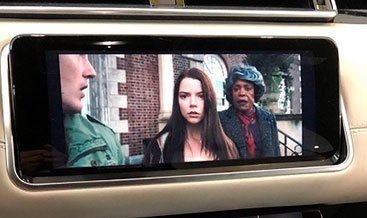

Video in Motion — JLR Rear Seat Entertainment and Passenger Display Activation
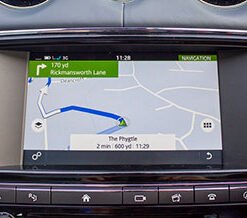
Enable video playback for your Jaguar or Land Rover rear seat entertainment system and passenger displays. We configure the infotainment head unit, Rear Seat Entertainment (RSE) modules, and media inputs using official JLR Pathfinder and SDD platforms. Your passengers enjoy films, streaming media, and games on long journeys while the driver keeps full attention on the road.
JLR vehicles ship with a media lockout that pauses video playback once the vehicle moves. This lockout protects the driver from distraction, and it applies across the whole infotainment network by default. Our service separates the passenger experience from the driver display, so rear screens and passenger-side displays play video continuously while the driver-facing lockout stays active where the law requires it.
How Video Playback Works in a JLR Vehicle
JLR routes video through several components, and each one handles a specific part of the chain:
- Infotainment Head Unit — The Touch Pro, Touch Pro Duo, Pivi, or Pivi Pro unit decodes media files and manages the display output
- Rear Seat Entertainment Module — The RSE controller that drives the rear screens and manages independent media sources
- Media Hub and HDMI Input — The connection point for external devices such as streaming sticks, games consoles, and media players
- Vehicle Speed Signal — The data feed the head unit reads to decide whether to apply the motion lockout
- Gateway Module (GWM) — The module that carries speed and status messages across the vehicle network
- Car Configuration File (CCF) — The file that holds the regional and market parameters controlling media behaviour
Applications We Support
We configure video playback for the following legitimate uses:
- Rear seat entertainment screens — Continuous playback for rear passengers on factory-fitted and retrofit RSE systems
- Passenger-side displays — Video on screens that sit outside the driver’s field of view
- External media sources — HDMI and USB inputs for streaming devices and games consoles
- Rear camera and trailer views — Extended camera display time for towing and manoeuvring
- Service and diagnostic displays — Live data and technical screens during road testing
Our Configuration Process
We follow a structured JLR workflow that protects your vehicle configuration:
- VIN Read and Platform Identification: We read your VIN and confirm your infotainment generation, RSE configuration, and current media parameters.
- CCF Backup: We save a full backup of your original Car Configuration File before we change anything.
- Parameter Edit: We edit the media and display parameters that control video playback on passenger and rear screens.
- Module Configuration Write: We connect our DoIP VCI and write the updated configuration through Pathfinder or SDD.
- Driver Display Verification: We confirm that the driver-facing display retains its motion lockout where your market requires it.
- Functional Test: We test playback on every configured screen, check audio routing, and verify that the system switches sources correctly.
- Report: We give you a written record of the parameters we changed and the tests we performed.
Legal and Safety Compliance
This section matters, and we ask every customer to read it before booking.
Driver-facing displays: Most US states and many countries prohibit video visible to the driver while the vehicle moves. We keep the driver display lockout active in those markets. We do not remove safety interlocks that protect the driver.
Rear and passenger displays: Many jurisdictions permit video on screens that the driver cannot see. Rules vary by state and country, so you should confirm the requirements that apply where you drive.
Your responsibility: You confirm that your intended use complies with local law before we begin work. We document the configuration we apply, and we provide the details you need for inspection or registration purposes.
Vehicle Compatibility
| Infotainment Generation | Model Years | Diagnostic Platform |
|---|---|---|
| Gen 2.1 / Gen 3 with RSE | 2005–2014 | JLR SDD |
| InControl Touch / Touch Plus | 2015–2019 | JLR SDD and Pathfinder |
| Touch Pro / Touch Pro Duo | 2017–2022 | JLR Pathfinder |
| Pivi / Pivi Pro | 2020 onwards | JLR Pathfinder and TOPIx Cloud |
We cover Range Rover, Range Rover Sport, Velar, Evoque, Discovery, Discovery Sport, Defender, Jaguar XF, XJ, F-Pace, E-Pace, and I-Pace.
Why Choose LR Retrofit
- Official JLR Platforms: We use Pathfinder, SDD, and TOPIx Cloud, the same tools JLR dealers use worldwide.
- Safety-First Approach: We protect the driver display lockout and configure only the screens your market permits.
- VIN-Specific Configuration: Every setting matches your exact vehicle build and market region.
- Complete Documentation: You receive a written report covering the changes and the verification tests.
- Remote and Onsite Support: We serve clients across the UK, Europe, Middle East, Africa, and North America.
Book Your JLR Video Configuration
Ready to keep your passengers entertained on every journey? Contact our technical team with your VIN, and we will confirm compatibility, permitted applications in your region, pricing, and scheduling.
Email: info@lr-retrofit.com
Service available: Remote (you connect the VCI) or onsite (our technician attends)
Typical duration: 45–90 minutes, depending on screen count and media source configuration