JLR Video In Motion Activation — Touchscreen Video for Land Rover and Jaguar
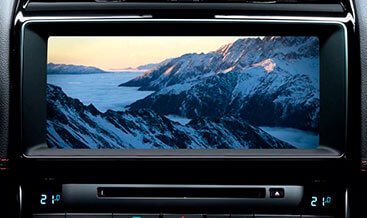
We activate video in motion on your Jaguar Land Rover infotainment system. The factory configuration blocks video output the moment your vehicle starts moving, which protects the driver but also cuts off every passenger in the cabin. Our service removes that restriction, so DVD players, USB media, SD card content and HDMI sources keep playing through the factory touchscreen while you drive. We match the method to your infotainment platform and your VIN, and we leave every other factory function untouched.
What You Gain From This Activation
Rear seat passengers lose their entertainment the instant you pull away from the kerb, and long journeys suffer as a result. When we enable video in motion, you gain:
- Uninterrupted video playback through the factory touchscreen and rear screens while the vehicle moves.
- Full support for the media sources your platform carries, including DVD, USB, SD card and HDMI input.
- Synchronised playback between front and rear displays where your vehicle carries rear entertainment.
- Unchanged navigation, audio, climate control and phone functions.
- No aftermarket screens, no dashboard clutter and no visible modification to the interior.
- A configuration that preserves your factory warranty position on unrelated components.
Families value the upgrade on school runs, holidays and long motorway journeys. Chauffeur and executive transport operators value it for the same reason, because rear cabin passengers expect working entertainment throughout the trip. Because we activate the factory system rather than adding hardware, the installation looks and behaves exactly as the vehicle left the production line.
Infotainment Platforms We Support
The correct activation method depends on your infotainment generation and the way your head unit reads the vehicle speed signal. We classify vehicles into two groups:
Configuration-based activation (InControl Touch, InControl Touch Plus, selected Touch Pro builds): These platforms accept a direct Car Configuration File change that adjusts the video restriction parameter. No additional hardware is required, and the vehicle keeps its entire factory wiring loom intact.
Interface module activation (InControl Touch Pro, Touch Pro Duo, Pivi Pro, selected builds): Some platforms manage the video restriction inside the head unit software rather than through a configurable parameter. For these vehicles, we supply a dedicated video interface module that manages the speed signal before the head unit reads it. The module installs inline with the factory loom and requires no cutting of original wiring.
We support a broad range of models across both categories, including:
- Land Rover Defender (L663), Discovery (L462), Discovery Sport (L550), Range Rover Evoque (L551), Range Rover Velar (L560), Range Rover and Range Rover Sport.
- Jaguar F-Pace (X761), XF (X260), XE (X760), I-Pace (X590), E-Pace (X540) and F-Type.
We confirm the correct method during the VIN check, then we prepare everything in advance so the installation runs smoothly.
How the Activation Process Works
We keep the process organised and predictable:
- VIN verification: You send your 17-character VIN. We identify your infotainment platform, build year and current software level.
- Method selection: We confirm whether your vehicle accepts a configuration-based activation or requires a video interface module.
- Preparation: For configuration work, we prepare the correct parameter values. For hardware, we supply the interface module with a vehicle-specific plug-and-play harness.
- Application: For configuration, you apply the settings through your diagnostic platform. For hardware, you connect the module inline with the factory loom behind the head unit.
- Verification: You confirm playback with the vehicle in motion and check that navigation, audio, phone and climate functions continue to operate correctly.
Our technical team stays available throughout the process, and we answer questions at any stage.
JLR Technical Specification
The infotainment head unit receives a vehicle speed signal over the CAN network and compares it against a stored threshold value. Once the vehicle passes that threshold, the head unit disables its video output stage while it keeps audio and navigation running normally. The restriction exists to comply with driver distraction regulations, and it applies to the display output rather than the media source itself.
Our configuration-based activation adjusts that parameter directly within the Car Configuration File, then writes the change back against your As-Built record. The head unit then applies the new behaviour at the next system initialisation.
For interface module installations, the module manages the speed input before the head unit reads it. The module draws power from the vehicle supply, connects inline with the factory loom through the supplied harness, and passes the speed signal onward in a form the head unit accepts as stationary. This approach leaves the factory MOST-bus or Ethernet architecture untouched, and it preserves the original GPS, amplifier and display connections. On platforms that support it, the module also handles reverse camera, front camera and HDMI input switching.
Both methods keep every other factory function intact, and both approaches are fully reversible if you later sell the vehicle or return it to stock specification.
Legal and Safety Notice
Video in motion serves passengers. Most jurisdictions prohibit a driver from viewing entertainment content while driving, and we expect every customer to follow the law in their country. Please use this feature responsibly and keep your attention on the road at all times.
What You Receive
- A vehicle-specific video in motion configuration or interface module.
- A plug-and-play harness where your platform requires one.
- Clear installation and setup instructions for your model.
- Remote technical support throughout the activation.
- Post-installation verification guidance to confirm correct playback and system behaviour.
Order Your JLR Video In Motion Activation
Add the product to your cart and provide your VIN at checkout. We confirm your infotainment platform, prepare the correct solution and send it to you with full instructions. Contact us first if you would like compatibility confirmed before you order. Give your passengers the entertainment they want, and keep every journey enjoyable for everyone on board.