


Apple CarPlay and Android Auto Pack Activation — JLR OEM Smartphone Integration
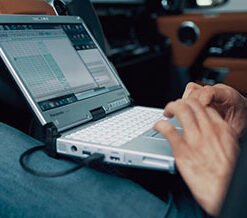
Activate native Apple CarPlay and Android Auto on your Jaguar or Land Rover vehicle. Many JLR vehicles leave the factory with the hardware ready for smartphone mirroring, yet the configuration file disables the feature. We unlock the Smartphone Pack through official Car Configuration File (CCF) editing with JLR Pathfinder, then supply and fit the correct USB hub where your vehicle needs one. You gain full factory-integrated smartphone connectivity with no external dongles and no aftermarket adapters.
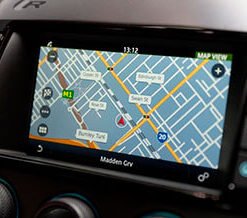
Your phone already holds the navigation, music, messaging, and voice tools you rely on every day. Apple CarPlay and Android Auto bring those tools onto your vehicle touchscreen in a clean, driver-friendly interface. Steering wheel buttons, the cabin microphone, and the factory display all work together, so you keep your hands on the wheel and your attention on the road.
Why JLR Vehicles Ship With CarPlay Disabled
JLR builds most modern infotainment hardware to support smartphone mirroring from the start. The InControl Touch Pro, Touch Pro Duo, Pivi, and Pivi Pro platforms all carry the processing power and connectivity layers that CarPlay and Android Auto require. Factory software calibration still disables the native modules on base and mid-trim vehicles, which leaves owners with basic Bluetooth calling and media playback only[reference:0].
Our service corrects that restriction at the configuration level. We edit the CCF to register the Smartphone Pack, then enable the CarPlay and Android Auto feature flags inside the infotainment module. The vehicle then loads the correct smartphone protocols on its next reboot[reference:1].
OEM Activation Versus Aftermarket Dongles
Third-party CarPlay boxes and piggyback adapters sit between your phone and the factory system. They often introduce input lag, connection drops, and audio routing faults. They also bypass the vehicle network, which can trigger fault codes and interfere with future software updates.
OEM activation works differently. We enable the factory connectivity logic that JLR engineers already built into the infotainment module. The result integrates natively with Pivi Pro and Touch Pro systems, preserves the original firmware structure, maintains CAN-bus communication integrity, and keeps SOTA update compatibility intact[reference:2]. The CarPlay and Android Auto icons appear on the touchscreen exactly as they would on a factory-ordered vehicle.
Modules and Components We Work With
Our activation covers every part of the smartphone integration chain:
- Infotainment Master Controller (IMC) — The head unit that runs the smartphone interface and renders CarPlay or Android Auto on the display
- Vehicle Dynamic Module (VDM) — The module that holds the USB protocol and external device interface parameters
- USB Hub Module — The genuine JLR hub (part LR070580 or equivalent) that provides the high-speed data connection your phone needs
- Gateway Module (GWM) — The module that carries the configuration update and routes smartphone data across the network
- Telematic Control Unit (TCU) — The module that supports wireless CarPlay and Android Auto through Wi-Fi and Bluetooth on later platforms
- Car Configuration File (CCF) — The vehicle file that registers the Smartphone Pack and enables the feature flags
Our Activation Process
We follow the exact JLR workshop procedure for every CarPlay and Android Auto activation:
- VIN Read and Hardware Verification: We read your VIN and confirm your infotainment platform, screen size, and current USB hardware. This step tells us whether you need a software activation only or a combined hardware and software retrofit.
- Pre-Activation Diagnostic Scan: We run a full infotainment module scan to confirm system health and identify any existing faults that could affect the activation.
- CCF Backup and Edit: We download your current CCF and save a complete backup. We then edit the Smartphone Pack parameters and enable the CarPlay and Android Auto feature fields.
- Hardware Installation (where required): Where your vehicle carries a low-line USB hub, we install the genuine high-line USB hub and connect it to the quadlock connector. We route the wiring to factory specification and secure every connection.
- Module Coding and Configuration Write: We connect our DoIP VCI and write the updated configuration through the Gateway Module using Pathfinder. The infotainment module registers the Smartphone Pack and learns the identity of the new USB hub.
- System Reboot and Protocol Load: The infotainment system reboots and loads the CarPlay and Android Auto protocols. The feature icons appear on the touchscreen menu.
- Functional Testing: We test wired and wireless connectivity for both iOS and Android devices, verify steering wheel control integration, confirm audio routing through the vehicle speakers, and check that voice assistants respond through the cabin microphone.
- Post-Activation Report: We provide a written record of the configuration changes, the hardware fitted where applicable, and the functional tests we completed.
Hardware Your Vehicle Needs
Software activation alone works when your vehicle already carries a compatible high-line USB hub. Many JLR vehicles leave the factory with a basic USB port that supports charging and limited data transfer only. Those vehicles need the genuine high-line USB hub alongside the software activation.
For wireless CarPlay and Android Auto, your vehicle also needs a compatible TCU with Wi-Fi capability. Vehicles with an older 3G TCU require a 4G/LTE replacement before wireless mirroring becomes available[reference:3]. We confirm every hardware requirement against your VIN before we quote.
Vehicle Compatibility
| Infotainment Platform | Model Years | Activation Method |
|---|---|---|
| InControl Touch Pro / Touch Pro Duo | 2017–2022 | CCF edit via Pathfinder, high-line USB hub where required |
| Pivi / Pivi Pro | 2020 onwards | CCF edit via Pathfinder, wireless support with compatible TCU |
| InControl Touch (Harman 8-inch) | 2015–2018 | Activation module, USB hub and wiring loom |
We cover Range Rover L405/L460, Range Rover Sport L494/L461, Velar L560, Evoque L538/L551, Discovery 5 L462, Discovery Sport, Defender L663, Jaguar XE, XF, XJ, F-Pace X761, E-Pace, F-Type, and I-Pace. We verify part numbers against your VIN before dispatch to eliminate fitment errors[reference:4].
Why Choose LR Retrofit
- Official JLR Platforms: We use Pathfinder, SDD, and TOPIx Cloud, the same tools JLR dealers use worldwide.
- Genuine JLR Components: We supply original USB hubs, wiring looms, and activation modules sourced from JLR suppliers.
- VIN-Specific Configuration: Every CCF edit and every part number matches your exact vehicle build.
- No Third-Party Hardware: Your vehicle keeps its original firmware structure and full SOTA update capability.
- Complete Documentation: You receive a written report covering every change and every verification test.
- Remote and Onsite Support: We serve clients across the UK, Europe, Middle East, Africa, and North America.
Book Your CarPlay and Android Auto Activation
Ready to bring full smartphone integration to your Jaguar or Land Rover? Contact our technical team with your VIN, and we will confirm compatibility, required hardware, pricing, and scheduling.
Email: info@lr-retrofit.com
Service available: Remote (you connect the VCI) or onsite (our technician attends)
Typical duration: 45–90 minutes for software activation, 2–3 hours for combined hardware and software installation