

Video in Motion for Land Rover & Jaguar – Passenger Entertainment On The Move
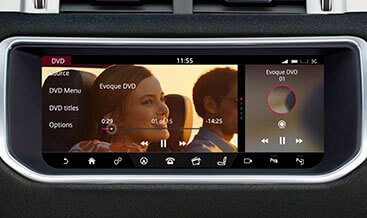
Your factory infotainment system plays DVD and USB video content perfectly while your vehicle stands still. The moment you drive away, the screen locks the video feed. This safety feature protects the driver, yet it also prevents your passengers from enjoying films, TV shows, and music videos during long journeys. LR-Retrofit removes that restriction through a clean software activation.
You keep the factory head unit, the factory screen, and the factory wiring. We modify the vehicle configuration file to permit video playback while the vehicle moves, so your passengers gain full entertainment access from the rear seats and the passenger seat.
Why Enable Video in Motion?
Long motorway drives, family holidays, and daily commutes all benefit from passenger entertainment. Children stay engaged. Adults catch up on content. The driver keeps both hands on the wheel and both eyes on the road. Video in Motion delivers a practical upgrade that transforms the passenger experience without compromising vehicle safety systems or factory aesthetics.
Key Benefits
- Pure software activation – You install no hardware modules. The activation uses your factory head unit and display.
- DVD and USB video playback – Passengers enjoy content from the factory DVD player or a USB mass storage device while the vehicle moves.
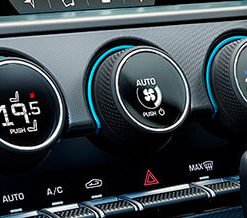
- Full factory integration – Navigation, audio, climate controls, and vehicle settings continue to operate normally.
- Reversible at any time – The activation modifies a configuration parameter. A dealer or our team can restore the original setting whenever you wish.
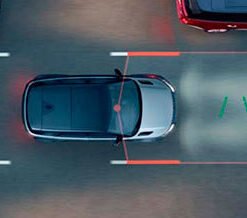
- No impact on driver assistance – Parking cameras, blind spot monitoring, and all safety warnings remain fully active.
How the Activation Works
Your infotainment system reads a configuration value that tells the head unit whether the vehicle is in motion. When that value indicates movement, the system suppresses the video signal to the display. Our activation modifies the relevant Car Configuration File (CCF) parameter, so the head unit continues to present the video feed regardless of vehicle speed.
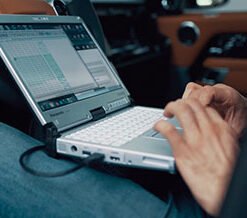
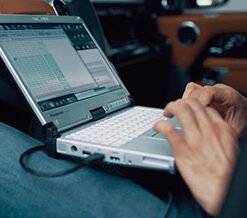
We perform the activation through JLR diagnostic platforms. For 2012–2016 vehicles, we use Symptom Driven Diagnostics (SDD) with the appropriate CCF editor access. For newer platforms, we use Pathfinder with the As-Built file method. The procedure takes minutes, requires no disassembly, and leaves no physical trace.
Technical Specifications
| Parameter | Specification |
|---|---|
| Compatible systems | InControl Touch, InControl Touch Plus, InControl Touch Pro |
| Video sources | Factory DVD player, USB mass storage (FAT/FAT32 file system) |
| Supported video formats | DivX, MPEG-4 (container and codec support varies by model year and region) |
| Activation method | CCF modification via JLR SDD or Pathfinder |
| Diagnostic interface | J2534 pass-thru device (Mongoose, VCM II, or equivalent) |
| Vehicle bus | High-speed CAN (ISO 11898-2), Ethernet on newer platforms |
| Installation time | 15–45 minutes (remote coding session) |
| Hardware required | None |
| Reversibility | Fully reversible through CCF restoration |
Vehicle Compatibility
We confirm compatibility from your VIN before scheduling the activation. The Video in Motion feature supports a wide range of JLR vehicles, including:
- Land Rover Defender (L316, L663)
- Land Rover Discovery 4 (L319) and Discovery 5 (L462)
- Land Rover Discovery Sport (L550)
- Range Rover Evoque (L538, L551)
- Range Rover Sport (L320, L494)
- Range Rover (L322, L405, L460)
- Range Rover Velar (L560)
- Jaguar XF, XE, XJ, F-Type, F-Pace, E-Pace, I-Pace – Selected model years
Your vehicle must already play DVD or USB video content while parked. If the factory system does not play video at all, the activation cannot enable a feature the hardware does not support. Please share your VIN with our team, and we confirm compatibility within one business day.
Installation and Coding Support
The activation requires no physical installation. You connect a J2534 pass-thru device to the vehicle’s OBD-II port, and our technician performs the CCF modification remotely or on-site. The procedure follows JLR service protocols and uses the same configuration paths that factory-trained technicians use.
Before the session, we verify that your infotainment system runs the latest available software level. We then apply the modified CCF, clear any related fault codes, and confirm video playback while the vehicle is in motion. You receive a full report of the changes applied and the original configuration values for future reference.
Important: You activate Video in Motion for passenger entertainment. The driver must not watch video content while driving. Local regulations regarding in-motion video display vary by region, and you accept responsibility for compliance with those regulations.
What’s Included
- Remote or on-site CCF coding session
- Pre-activation compatibility verification
- Post-activation function test
- Original configuration backup (on request)
- Technical support for 30 days after activation